Transforming UB’s digital communications.
UBCMS Environments
UBCMS uses multiple environments (servers) to separate your working site from your public site and provide safe spaces for testing.
On This Page
Overview
The Environments
- AUTHOR - Your working environment where you edit content
- QA - Testing environment
- QA2 - NextGen preview
- LIVE - Your public-facing website
Accessing the Different Environments
- Logging in: Use your same UBIT login credentials for all environments.
- Permissions: You'll have the same permissions across all environments.
- Off-campus access: QA and QA2 require VPN connection when accessing from off-campus.
How the Environments Interact
- Every weekend, AUTHOR syncs to QA and QA2, then a script converts sites to the NextGen platform on QA2.
- When you publish your AUTHOR pages, they push the latest version LIVE.
Author Environment
Your primary working environment where you create, edit, and publish content on a daily basis.

AUTHOR is identified by the URL.
What it's for:
- Daily content editing
- Creating new pages
- Publishing to LIVE
Identified by:
- URL includes: ubcms-author.buffalo.edu
Important: AUTHOR syncs to QA and QA2 every weekend.
QA Environment
A testing environment that's a weekly snapshot of the AUTHOR environment. Use QA to preview changes and test functionality in a safe environment.
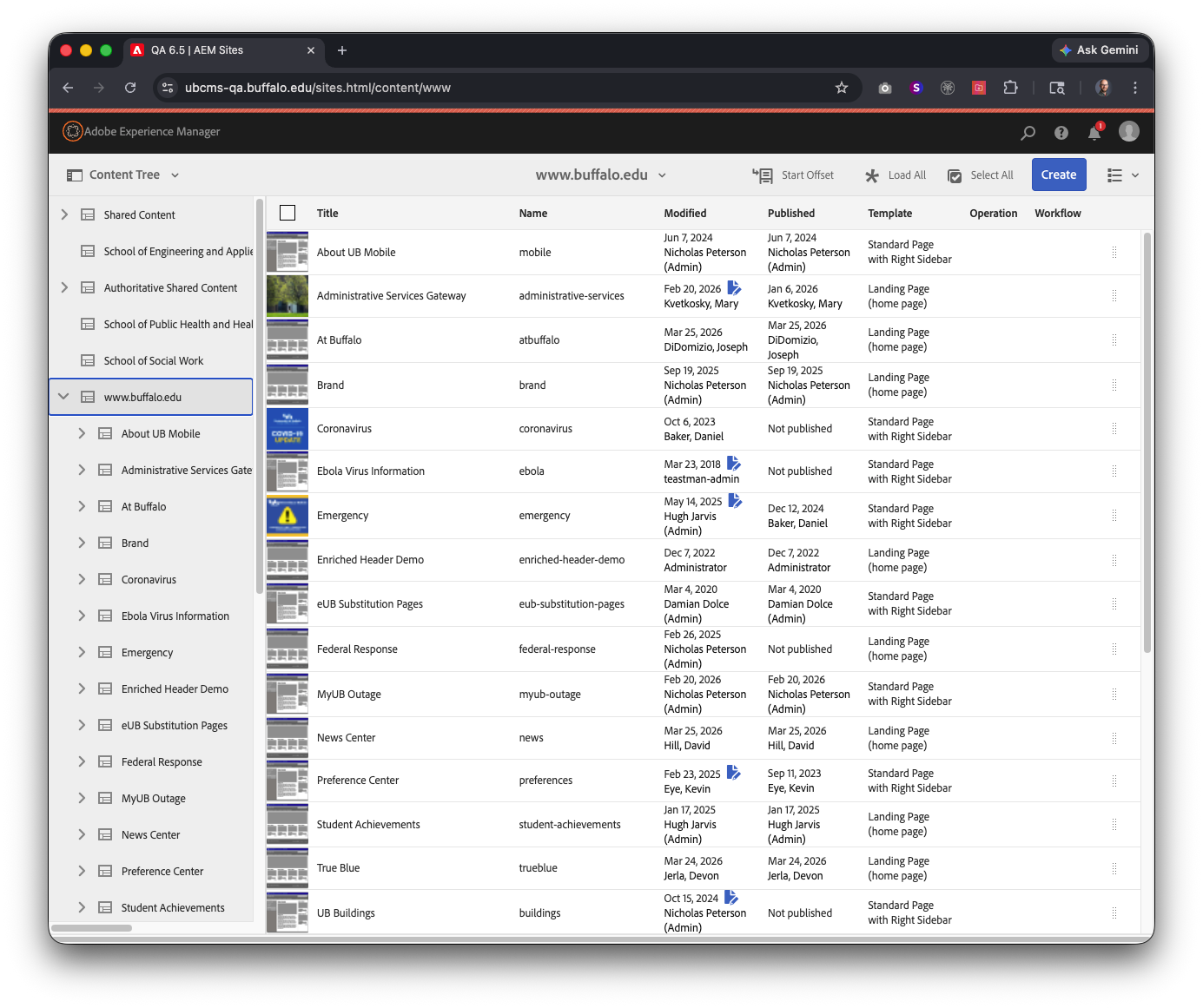
QA is identified by the URL and a thin red banner at the top of every page.
What it's for:
- Preview changes before publishing
- Test functionality in a safe environment
- Experiment without affecting AUTHOR or LIVE
Identified by:
- URL includes: ubcms-qa.buffalo.edu
- Thin red banner at the top of each page
Important: Changes made in QA are overwritten during the weekend sync from AUTHOR. Use for testing and preview only.
QA2 Environment
A testing environment created for NextGen conversion. Like QA, it's a weekly snapshot of AUTHOR, but converted to NextGen templates.
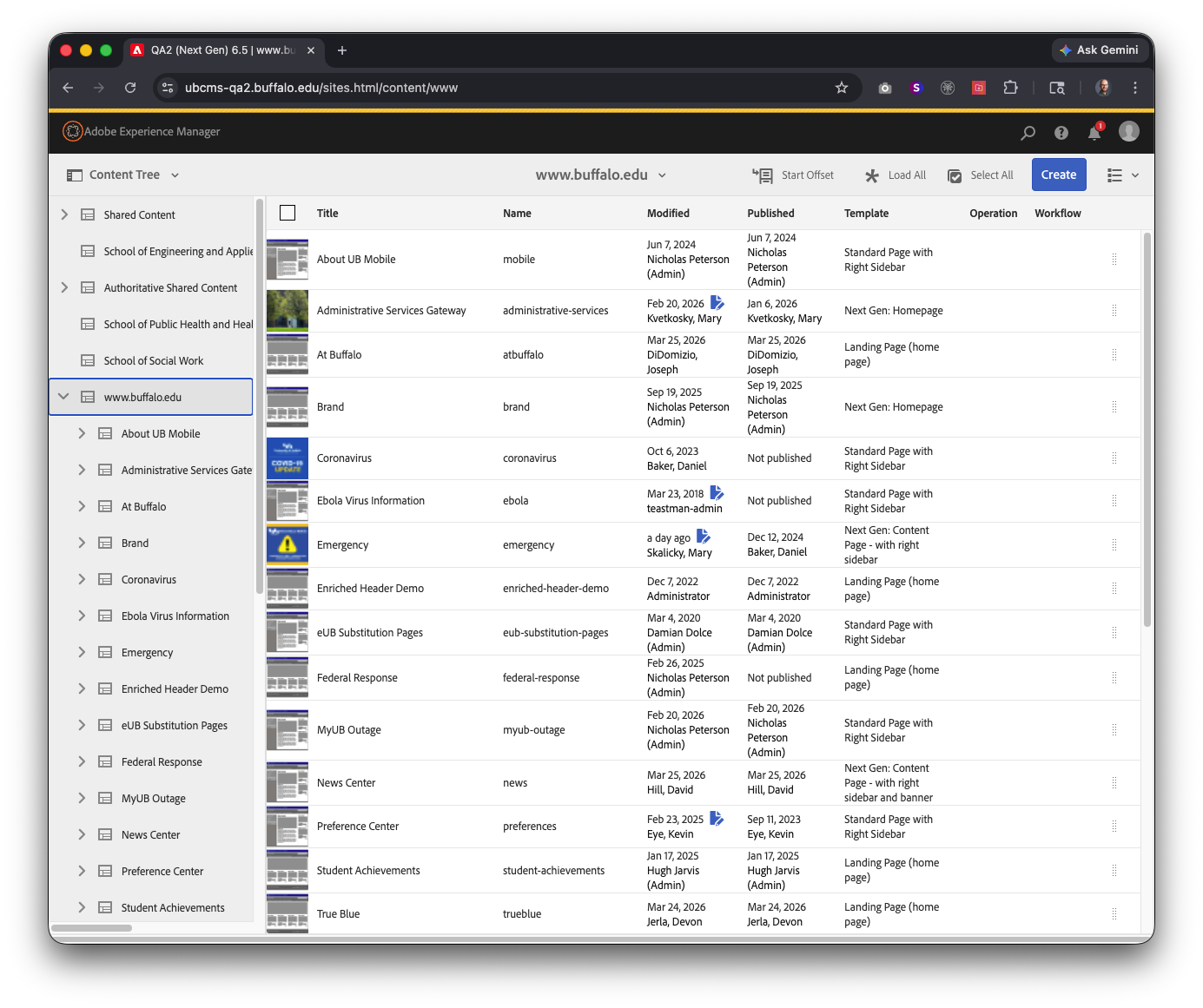
QA2 is identified by the URL and a thin yellow banner at the top of every page.
What it's for:
- Preview what your site will look like in NextGen
- Test custom code compatibility with NextGen
Identified by:
- URL includes: ubcms-qa2.buffalo.edu
- Thin yellow banner at the top of each page
Important: QA2 updates every weekend from AUTHOR. QA2 may be discontinued after NextGen conversion is complete.
Live Environment
Your public-facing website. LIVE is updated when you publish pages from AUTHOR.
Common Questions
AUTHOR. Make all changes in AUTHOR, then publish to LIVE when ready.
You can, but changes are overwritten during the weekend sync from AUTHOR. Use QA and QA2 for testing and preview only.
This ensures testing environments always reflect your latest AUTHOR content.
Look for the colored banner (red = QA, yellow = QA2) or check the URL.
QA2 was created specifically for NextGen conversion and may be discontinued afterward. QA will remain available.
Questions or feedback?
Have a question about the conversion process or the resources on this site? Want to share feedback on how we can improve?